How to Add a Speedometer to a Video on Android
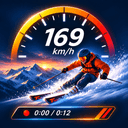
TurboGauge records your own GPS speed while you film. It does not add speed to a video you already recorded, and it does not estimate someone else's speed.
Mount your phone and start recording. Your speed shows live on screen
Save, export and share. The speed is already in the video
What you need
- An Android phone with GPS
- A secure mount for your phone
- TurboGauge from Google Play
Ready to record?
Put your speed in the video.
Record your route, ride, run or mountain line with live GPS speed already on screen. Free on Google Play.